
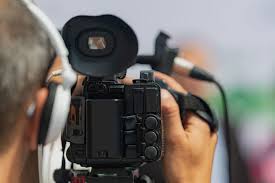
What legal videographers look for in remote witnesses
Remote depositions are now the norm, not the exception. Legal videography has changed to keep up. Videographers now focus on clarity, professionalism, and admissibility in digital settings.
This guide breaks down what videographers check before and during a remote deposition. Knowing these points can help attorneys get stronger, more reliable litigation support.
Why Remote Witness Prep Matters
A legal videographer’s job is to create a clear, court-ready record. Remote depositions are not casual video calls. They must meet strict standards.
Bad lighting, muffled audio, or a messy background can hurt the credibility of testimony. It can also cause delays.
When a witness prepares well, you get:
- Clear, easy-to-follow recordings
- Fewer technical problems
- A more professional record
- Testimony courts can rely on
At Hanna Reporting, prep is a team effort. Counsel, the witness, and the video team all play a part.
Tech Checklist: What Videographers Look For
1. A Stable Internet Connection
A strong connection is the first requirement. Videographers look for:
- A wired Ethernet connection, if possible
- Upload and download speeds fast enough for HD video
- Little to no other devices using the same network
A weak signal causes lag, pixelation, or dropped audio. These problems can hurt the deposition record.
2. Clear Audio
Good audio often matters more than good video. Videographers want:
- An external microphone (not the laptop’s built-in mic)
- Little to no background noise
- No echo or feedback
Don’t use speakerphone. Use a USB mic or a headset instead. Clear audio means accurate transcripts and fewer repeated questions.
3. Proper Camera Setup
Camera position affects how the witness comes across. Videographers look for:
- The camera at eye level
- A head-and-shoulders shot
- Direct eye contact with the camera
A camera set too high or too low can be distracting. Good framing helps the witness look focused and credible.
Environment Checklist: Setting the Scene
Good Lighting
Lighting should:
- Light the witness’s face evenly
- Avoid shadows or glare
- Avoid strong light from a window behind the witness
Natural light works well — but only if it’s in front of the witness, not behind them. A simple desk lamp, placed right, can also do the job.
A Plain Background
Videographers prefer:
- A clean, tidy background
- A plain wall
- No virtual backgrounds (unless approved ahead of time)
Virtual backgrounds can blur outlines and distract from testimony. A plain wall or simple room works best.
A Quiet, Private Space
Interruptions can delay or even derail a deposition. Videographers check for:
- Noise levels
- Privacy from interruptions
- Other possible distractions
Keep pets, phones, and other people out of the room. This protects both focus and the integrity of sworn testimony.
Professional Conduct on Camera
Remote depositions call for the same behavior as in-person ones. Videographers watch for whether a witness:
- Dresses professionally
- Sits with good posture
- Avoids multitasking
- Keeps their eyes on the screen
Looking away too often can raise questions about off-camera coaching. If needed, the videographer may note this on the record.
Handling Documents and Exhibits
Sharing exhibits remotely takes extra planning. Video teams look for:
- A clear plan for sharing digital exhibits
- Screen-sharing tested ahead of time
- A witness who’s comfortable viewing documents on-screen
Witnesses should not shuffle papers or check outside materials unless told to. Good coordination with the support team keeps exhibits clear and well-recorded.
Security and Compliance
Trusted litigation support providers prioritize:
- Secure video platforms
- Encrypted data transmission
- Controlled access to the session
- Safe storage of recordings
Rules vary by jurisdiction, so compliance matters. The American Bar Association offers guidance on remote proceedings, which you can review on the ABA’s website.
Hanna Reporting works to stay current with these evolving standards.
FAQs
What equipment does a remote witness need? A laptop or desktop, fast internet, an external mic or headset, a webcam at eye level, and good lighting. A quiet, private room also helps.
Can a witness use a phone instead? It’s possible, but not recommended. A laptop or desktop with stable internet and external audio gear works better.
Why does audio matter more than video? Clear audio leads to accurate transcripts and fewer misunderstandings. Bad audio may mean repeated questions — or issues with how clear the record is.
Are virtual backgrounds allowed? Usually not. They can distort the image and distract from testimony. A real, neutral background is best.
How Litigation Support Teams Help
A good litigation support team does more than hit record. They:
- Run tech checks before the deposition
- Give witnesses setup instructions
- Fix connection issues as they come up
- Watch recording quality in real time
This kind of support lowers risk and improves the quality of testimony.
At Hanna Reporting, the goal is simple: dependable, professional remote depositions that meet court standards — and attorney expectations.
Final Thoughts
Remote testimony is here to stay. For attorneys who rely on strong litigation support, knowing what videographers look for is key.
Three things matter most:
- Technical readiness — a stable connection, clear audio, and proper camera setup
- Environmental control — good lighting, a plain background, and a quiet space
- Professional presentation — appropriate dress, posture, and focus
Get these right, and you protect the integrity of your case — and the confidence of everyone involved.