
Remote Court Reporters Allow Depositions More Flexibility
Remote court reporters support depositions, hearings, arbitrations, and sworn statements through secure video conferencing while still creating an accurate, certified record. For attorneys, remote deposition services can reduce travel, simplify scheduling, accommodate out-of-state witnesses, and keep cases moving when in-person logistics are difficult. The key is working with a court reporting agency that understands remote technology, exhibit handling, audio quality, oath procedures, and transcript delivery.
Hanna & Hanna Reporting provides remote court reporter services and remote deposition support for legal teams that need dependable testimony capture from any location. Attorneys can learn more about Hanna Reporting’s services by visiting: remote court reporter, the remote depositions, and the legal videoconferencing resources.
Why Remote Depositions Have Become A Litigation Standard
Remote depositions are no longer an emergency workaround. They are now a practical part of modern litigation. Attorneys use remote proceedings to depose out-of-town witnesses, coordinate busy experts, reduce travel costs, accommodate clients, and move discovery forward when calendars are tight. With the right preparation, remote depositions can be efficient, professional, and highly productive.
The convenience of remote testimony does not remove the need for a reliable record. In fact, remote proceedings can increase the importance of experienced court reporting support. Audio quality, speaker identification, exhibit sharing, connection stability, oath administration, and participant discipline all affect transcript quality. A remote court reporter helps keep the proceeding organized so attorneys can focus on the testimony.
Remote depositions are especially useful in cases involving medical experts, corporate representatives, technical witnesses, insurance adjusters, parties located in different states, or multi-party litigation teams. They allow more people to participate without the expense and delay of travel. They also make it easier for co-counsel, clients, or experts to observe testimony when their presence would be impractical in person.
What A Remote Court Reporter Does
A remote court reporter performs the essential functions of a court reporter in a virtual environment. The reporter captures testimony, identifies speakers, handles readbacks when needed, prepares the transcript, and may administer the oath according to applicable rules and procedures. The reporter also works within the remote platform environment, which may include Zoom, Webex, Microsoft Teams, or another approved system.
In many cases, the remote reporter is part of a broader support workflow. The agency may coordinate meeting links, provide dial-in information, test connections, assist with exhibit procedures, and ensure participants understand the process. This support is important because remote depositions can become inefficient when parties are unsure how to share exhibits, mute microphones, identify themselves, or handle objections clearly.
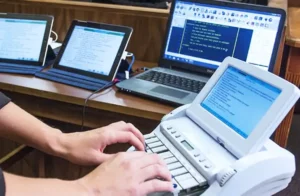 The court reporter’s ability to create a clear record depends on the behavior and setup of all participants. Attorneys should encourage witnesses to use a quiet room, stable internet connection, and clear microphone. Participants should avoid talking over one another. Attorneys should state objections clearly and allow the witness to finish answering before moving to the next question. These habits help the reporter produce a better transcript.
Remote Deposition Preparation Checklist
Preparation should begin when the deposition is scheduled. Legal teams should confirm the date, time, expected duration, witness location, parties, platform preference, court reporter requirements, videography needs, interpreter needs, and transcript deadlines. If the deposition involves exhibits, the team should decide whether exhibits will be preloaded, emailed, screen-shared, or introduced through a dedicated exhibit tool.
Before the deposition, participants should receive the remote meeting link, password, dial-in option, backup contact, and instructions. A technology check is recommended for witnesses, especially when the witness is unfamiliar with the platform. The witness should test audio, camera, internet connection, and screen access. If the witness will review documents, the exhibit workflow should be explained in advance.
Attorneys should also plan how they will handle breaks, private conferences, objections, stipulations, and confidential material. Remote proceedings can be smooth when expectations are clear. Confusion often happens when parties assume that remote procedures will automatically mirror in-person procedures. They can, but only when the logistics are planned.
Exhibit Handling In Remote Depositions
Exhibits are one of the most important parts of remote deposition planning. A disorganized exhibit process can interrupt questioning and create confusion in the record. Attorneys should decide whether they want to pre-mark exhibits, introduce them one at a time, share them by screen, use an electronic exhibit platform, or provide sealed files that are opened during the deposition.
Pre-marking can save time, especially in document-heavy cases. However, some attorneys prefer to introduce documents live to preserve flexibility. Either approach can work if the process is communicated to the court reporter and all parties. The record should clearly reflect what exhibit is being discussed, when it is introduced, and whether the witness has access to it.
For confidential documents, security is especially important. Legal teams should use secure transfer methods, avoid informal file sharing when sensitive material is involved, and confirm who can access the exhibits. If the case involves protective orders, proprietary information, medical records, or trade secrets, the exhibit workflow should be aligned with the applicable confidentiality requirements.
Audio Quality And The Accuracy Of The Remote Record
Audio quality is the foundation of a reliable remote transcript. The court reporter cannot accurately capture testimony that is muffled, distorted, interrupted, or hidden under background noise. Attorneys can improve accuracy by asking participants to use headphones or dedicated microphones, avoid speakerphone whenever possible, join from a quiet room, and speak one at a time.
Video matters too, but audio matters more. A witness can testify with imperfect lighting, but poor audio can damage the record. If a participant’s connection becomes unstable, the proceeding should pause until the issue is resolved. It is better to take a short break than to continue with testimony that may later be disputed or unclear.
Remote deposition etiquette should be stated at the beginning. Participants should identify themselves before speaking if there is any risk of confusion. Attorneys should pause after objections. The witness should answer verbally rather than nodding or shaking their head. Everyone should avoid side conversations. These small practices help create a transcript that can be used confidently later.
When To Add Realtime Reporting To A Remote Deposition
Realtime reporting allows attorneys to view testimony as it is being captured. In a remote deposition, real-time can be especially valuable because legal teams may be working from different locations. Co-counsel can follow the testimony, flag important answers, and adjust strategy during the proceeding. Realtime can also help attorneys review exact wording before asking follow-up questions.
Realtime is useful in complex cases, expert depositions, fast-moving cross-examinations, and matters where precise phrasing matters. It can also support remote collaboration because team members can see the record as it develops rather than relying only on memory or notes. If real-time is needed, it should be requested when scheduling so the agency can assign the appropriate reporter and technical setup.
For more information about this service, attorneys can visit Hanna Reporting’s realtime court reporting page. Realtime pairs well with remote deposition services when legal teams want immediate access to testimony and a more interactive record.
Remote Depositions And Legal Videography
Some remote depositions benefit from legal videography. Video can capture the witness’s demeanor, preserve testimony for trial use, assist with settlement presentations, or support an impeachment strategy. Remote video depositions require additional planning because the platform, recording method, participant display, and file delivery should be handled professionally.
Attorneys should determine whether the deposition will be video-recorded before the proceeding begins and ensure that all notices and procedural requirements are satisfied. The videographer or support team should confirm how the witness will appear, how the record will begin and end, how breaks will be handled, and how the final video files will be delivered.
When transcript and video are synchronized, legal teams can search the text and review corresponding video segments efficiently. This can be useful for mediation, hearings, trial preparation, and client reporting. Remote video testimony should never be treated casually. It is part of the record and should be managed with the same care as an in-person video deposition.
Security And Professionalism In Remote Proceedings
Remote litigation requires attention to security. Meeting links should be shared only with authorized participants. Passwords, waiting rooms, locked meetings, and controlled screen sharing can reduce disruptions. Sensitive exhibits should be transferred through secure channels. Participants should avoid joining from public spaces when confidential testimony is expected.
Professionalism also matters. Remote does not mean informal. Attorneys, witnesses, court reporters, interpreters, videographers, and observers should treat the proceeding with the same seriousness as an in-person deposition. The witness should be in an appropriate environment. Participants should avoid multitasking. Clear communication helps the reporter maintain the record and helps the deposition move efficiently.
Working with an experienced remote court reporting agency reduces the likelihood of technical and procedural problems. Hanna & Hanna Reporting supports attorneys with remote court reporters, video conferencing assistance, realtime options, and related litigation support services. This integrated approach helps legal teams handle remote testimony with confidence.
How To Schedule A Remote Court Reporter
When scheduling, provide the case caption, date, time, expected duration, witness name, participant list, platform preference, exhibit plan, transcript deadline, and any requests for realtime, video, or interpreters. The more information the reporting agency receives in advance, the more smoothly the deposition will run.
Attorneys can schedule remote support through Hanna Reporting’s contact page. For related services, review remote court reporter services, remote depositions, and legal videoconferencing.
Frequently Asked Questions
Is a remote deposition legally useful?
Yes. Remote depositions can create useful sworn testimony when properly noticed, conducted, reported, and transcribed according to applicable rules and agreements.
What technology is needed for a remote deposition?
Participants generally need a stable internet connection, camera, microphone, quiet room, and access to the selected video conferencing platform. Additional tools may be used for exhibits, realtime, or video recording.
Can a remote court reporter provide a certified transcript?
Yes. A qualified remote court reporter can prepare a certified transcript of the proceeding, just as with an in-person deposition.
Should I request realtime for a remote deposition?
Realtime is recommended for complex testimony, expert witnesses, high-stakes depositions, or situations where the legal team wants immediate access to the developing transcript.